


Alarmy - Alarm Clock & Sleep
4.681.23K Reviews
App Specs
- Version
- 26.33.1
- Updated On
- License
- Free
- Downloads
- 50,000,000+
- Developer
- Sleep Tracker & Alarm Clock by Delightroom
- Categories
- Productivity
- Platform
- Android
Screenshots

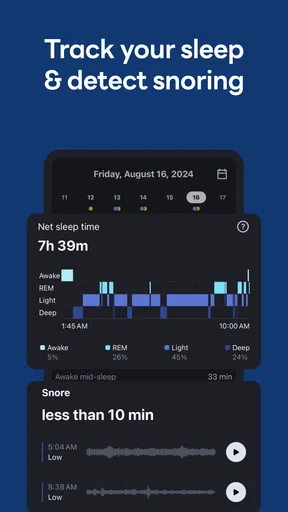
 Analysis by AppCompare
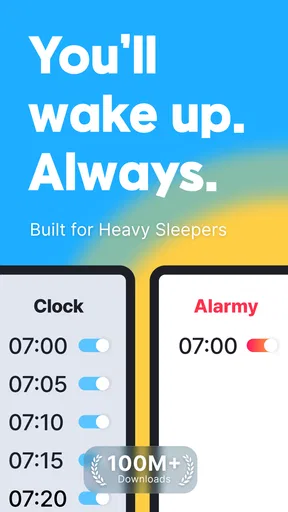
Ever found yourself hitting the snooze button a few too many times, only to realize you're running late? Yeah, me too! That's where Alarmy - Alarm Clock & Sleep comes to the rescue. This app isn't your average alarm clock; it's designed to get you out of bed, no excuses.
Waking Up with a Twist
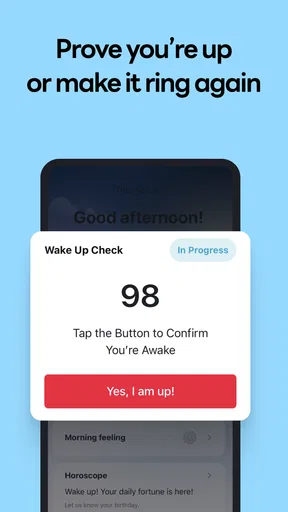
So, what's the deal with Alarmy? It's got this super creative twist that makes it stand out from the usual alarm apps. Instead of just blaring a loud noise at you, Alarmy makes you complete a task before it shuts off. Think of it as a wake-up challenge!
You can choose from tasks like taking a photo of a specific place in your house, solving math problems, or shaking your phone a certain number of times. It's a bit like having a personal trainer for your morning routine. And, let me tell you, it works like a charm. No more rolling over and dozing back off.
Features That Shine
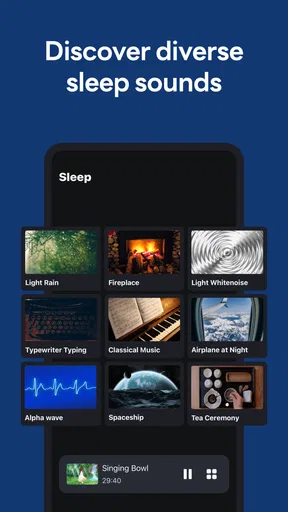
Alarmy isn't just about getting you out of bed, though. It's packed with features that make it a comprehensive sleep tool. For starters, the app has a Sleep Sounds section that helps you drift off into dreamland. From white noise to nature sounds, there's something for everyone.
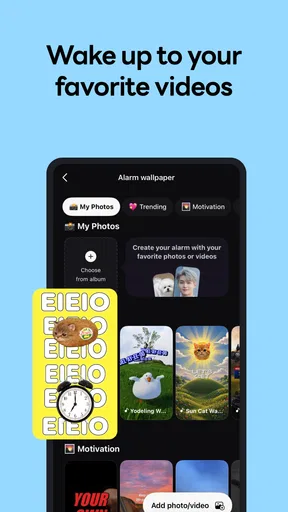
Another cool feature is the Morning Record option. It lets you record a short message or reminder for yourself. Imagine waking up to a personalized greeting or a motivational quote to kickstart your day. It's a small touch, but it adds a lot of value.
Plus, if you're someone who tracks their sleep habits, the app offers a Sleep Tracking feature. It's simple to use and gives you insights into your sleep patterns, helping you optimize your rest. Not bad for an alarm clock, right?
Design and Usability
Alarmy's design is as user-friendly as it gets. The interface is sleek, intuitive, and easy to navigate. Setting up an alarm is a breeze, and customizing it with different challenges and sounds is straightforward.
Worth Reading Before You Choose

EA SPORTS FC Mobile 26 Is a Bigger Football Game, but It Takes Time

Flipboard Shows What News Apps Must Do Beyond the Feed

Switching to Android Auto Means Rethinking Your Driving Routine

Google Calendar Makes a Crowded Week Easier to Manage

Ludo King Makes the Most of the Minutes Between Plans

Baby Panda World Brings Quick Play to Modern Phones, but Its Game Library Feels Busy
The app does a great job of balancing functionality with aesthetics. It doesn't overwhelm you with options, but it gives you enough to personalize your experience. Whether you're tech-savvy or just looking for a simple solution, Alarmy caters to all.
Who Can Benefit?
If you're someone who struggles to get up in the morning, or if you're looking for a way to make waking up more engaging, Alarmy is definitely worth a try. It's perfect for heavy sleepers, students, or anyone with a tight schedule. The app is also a great fit for those who need a bit of a push to start their day on the right foot.
Parents might also find it useful for getting kids up for school. The interactive nature of the tasks can make the morning routine a bit more fun, which is always a plus.
Final Thoughts
Overall, Alarmy - Alarm Clock & Sleep is more than just an alarm app. It's a comprehensive solution for anyone looking to improve their wake-up routine. With its unique task-based alarms, soothing sleep sounds, and sleep tracking features, it covers all the bases.
While it might take a little getting used to, the benefits far outweigh any initial adjustment period. Give it a shot, and you might just find yourself becoming a morning person. And trust me, your future self will thank you for it!
Pros
- Highly customizable alarm settings.
- Wide range of alarm tones available.
- Effective for heavy sleepers.
- Includes sleep tracking features.
- User-friendly interface.
Cons
- Contains in-app advertisements.
- Some features require premium.
- Battery consumption can be high.
- Limited free version features.
- Occasional notification issues.
FAQs for Alarmy - Alarm Clock & Sleep
What features make Alarmy different from other alarm clock apps?
Alarmy stands out with its innovative alarm features that require users to perform specific tasks to dismiss the alarm, such as taking a photo of a registered location, solving math problems, or shaking the phone. This ensures users are fully awake before the alarm turns off, making it highly effective for heavy sleepers.
Is Alarmy suitable for people who are deep sleepers?
Yes, Alarmy is particularly designed for deep sleepers. The app offers various mission modes that require physical or mental engagement to turn off the alarm, ensuring users wake up and stay alert. These challenging tasks are ideal for those who struggle to get out of bed with traditional alarms.
Can I customize the alarm sounds in Alarmy?
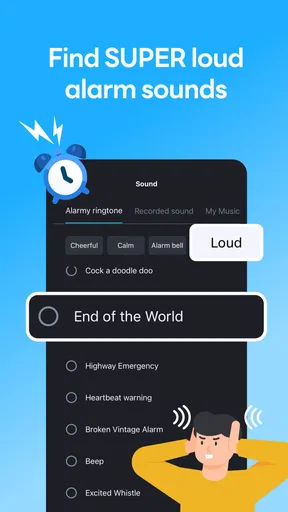
Alarmy offers a wide range of alarm sounds to choose from, including relaxing tunes and loud, jarring noises. Users can also set their own music as an alarm sound, providing a personalized wake-up experience. This customization helps users wake up in a way that suits their preferences.
Does Alarmy have any features to help with sleep improvement?
Yes, Alarmy includes features aimed at improving sleep quality, such as relaxing sleep sounds and sleep tracking capabilities. The app provides insights into sleep patterns and offers tips for better sleep hygiene, making it a comprehensive tool for both waking up on time and enhancing overall sleep health.
Is Alarmy free to use, and are there any in-app purchases?
Alarmy is available as a free download, offering a wide array of basic features. However, it also offers a premium subscription that unlocks additional features such as advanced alarm missions, ad removal, and more customization options. Users can choose to upgrade for a more enhanced experience.


